


This guide explains how to get and use QR codes for your Adelaide Fringe show, helping you connect audiences directly to your ticketing page.
Contents
- Adelaide Fringe Branded QR Codes
- Creating Your Own QR Code
- QR Code Best Practices
- Summary
- Additional Resources
Adelaide Fringe Branded QR Codes
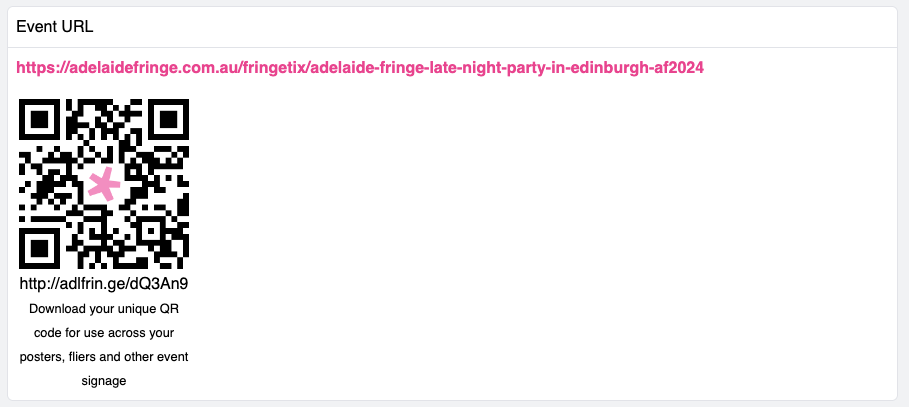
When the Adelaide Fringe Website Show Listing is finalised as part of your registration, you will receive an Adelaide Fringe branded QR Code. This code links directly to your show's page, making it easy for potential audience members to find and book tickets.
You can find your QR code in your Show Dashboard under your Show URL.
Creating Your Own QR Code
If you want more control or customisation, you can create your own QR code to include on your posters, flyers, and other promotional materials. This allows you to link customers directly to your show listing on adelaidefringe.com.au for ticket purchases.
To make your own QR code, visit www.qrcode-monkey.com. It's a simple tool that allows you to generate codes quickly.
You can even download our Fringe Star to "Fringe-ify" your QR code!
QR Code Best Practices
To ensure your QR code is effective and easy for your audience to use, keep these best practices in mind:
Sizing and Placement
- Minimum Size: For print, a QR code should ideally be at least 1 x 1 inch (2.5 x 2.5 cm). For larger displays or further viewing distances, scale up accordingly. A general rule of thumb is that the size of the QR code should be about 1/10th of the viewing distance. So, if someone is viewing your poster from 10 feet away, your QR code should be at least 1 foot.
- Clear Space: Always leave a clear border around your QR code – often called the "quiet zone." This is typically four times the width of a single module (one of the small squares) of the QR code. This helps scanners distinguish the code from surrounding design elements.
- High Traffic Areas: Place your QR code where it's easily seen and accessible. Think about where people will naturally look and where they can comfortably hold up their phone to scan.
Design and Readability
- Contrast: Ensure there's sufficient contrast between the QR code (usually black) and its background (usually white). Low contrast can make scanning difficult or impossible.
- Colour: While black and white is standard, you can use colours. However, make sure the foreground colour is much darker than the background. Avoid using similar shades or very light colours.
- Resolution: Use a high-resolution image for your QR code, especially for print. A blurry or pixelated QR code won't scan. Vector formats (like SVG or EPS) are ideal as they can be scaled without losing quality.
- Branding: You can incorporate your branding or the Fringe star into the centre of your QR code, but be careful not to obscure too much of the code's data, which can hinder scanning. Keep the branded element relatively small.
Functionality and Testing
- Direct Link: Ensure your QR code links directly to the most relevant page, such as your show's ticketing page on adelaidefringe.com.au, rather than a general homepage.
- Test, Test, Test: Always test your QR code before printing or publishing. Scan it with multiple devices (different phone models, operating systems) and different QR code scanner apps to ensure it works reliably in various conditions. Test from different distances and angles.
- Call to Action: Add a clear call to action near your QR code, such as "Scan to Buy Tickets!" or "Scan for More Info!". This tells people what to expect when they scan.
Summary
- Access your Adelaide Fringe branded QR code directly from your Show Dashboard once the Adelaide Fringe Website and your show listing is live.
- Use QR codes on all your promotional materials to provide a direct link to your show's ticketing page.
- Create custom QR codes using external tools like www.qrcode-monkey.com for more flexibility.
- Enhance your custom QR codes by adding the official Fringe star graphic.
- Always follow QR code best practices for sizing, design, and testing to ensure maximum scanability and effectiveness.
Additional Resources
- QR Code Generator
- Fringe Star Download
- Contact the Ticketing Team: ticketing@adelaidefringe.com.au | 08 8100 2012
- Contact the Artist and Venue Team: artists@adelaidefringe.com.au | venues@adelaidefringe.com.au | 08 8100 2022
- Contact the Marketing Team: marketing@adelaidefringe.com.au